Set up controls for general aviation and trainer flying in MSFS.
For general aviation in MSFS, start with a PC stick for pitch and roll, using twist rudder or a rocker for yaw. Add a mount if the base moves, a separate throttle if power control feels limited, or pedals if twist rudder is limiting your landings.
Start with the stick
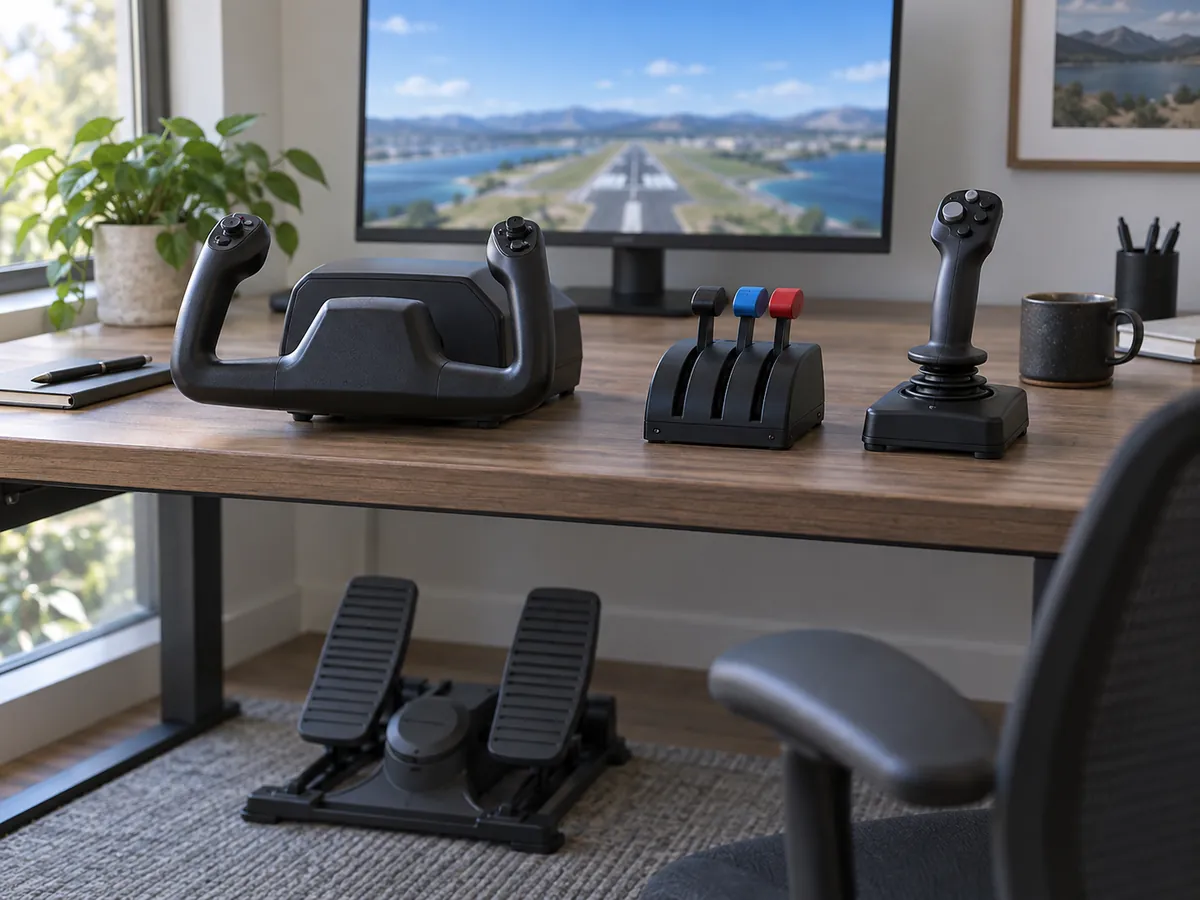
Use a stick as the low-commitment GA starting point. It gives you pitch and roll in one hand, with twist rudder or a rocker for yaw. Add a mount, throttle, or pedals only after the first setup shows you which control is actually limiting your flying.
- Logitech Extreme 3D Pro for PCReview documented controls and MSFS 2024 owner reports.
- First HOTAS buying guideDecide whether a separate throttle fits your first setup.
- Desk mount for flight sticksStop a light base from sliding during a flare.
- Rudder pedals setupMove yaw and toe brakes to your feet.
- Head tracking for cockpit viewsCompare Tobii Eye Tracker 5 and TrackIR 5.
- Helicopter and warbird controlsMap stick, power, and yaw inputs for specialized aircraft.
Compare the next step
Compare by the next control you want to add. A budget stick keeps the trial small, a HOTAS moves power to a separate hand, and a yoke changes the control shape for airliner-first flying. The desk and aircraft decide which page to open next.
A practical upgrade path
Start with the smallest control set that solves your job. A twist stick covers the flight axes for a trainer. Add a mount when movement is the problem, a separate throttle when power control is the problem, and pedals when foot control for yaw or brakes is worth the space.
| Stage | Add | Choose it when |
|---|---|---|
| 0 | PC stick with twist rudder | You need pitch, roll, and yaw controls in one unit. |
| 1 | Desk mount or clamp | The base moves and your desk has the clearance for a mount. |
| 2 | Separate throttle or HOTAS | You want power control on a dedicated hand. |
| 3 | Rudder pedals | You want foot control for yaw and toe brakes. |
| 4 | Yoke and quadrant | Yoke-equipped aircraft become your main job. |
Stop at the first stage that gives you the controls you use. Check the desk, cable, and storage space before adding another unit.
Start with the aircraft you fly most
Choose the control shape you will touch on every flight. For a Cessna-style trainer, a yoke matches the control shape, while a stick is a flexible way to learn pitch, roll, and rudder on a shared desk. Add throttle or pedals only when that control solves a gap.
Microsoft’s peripherals guide describes yokes for Cessna and Boeing-style aircraft and joysticks as the flexible option across aircraft types. Use that distinction as a starting point, then let your desk and most-flown aircraft decide.
Make desk fit part of the choice
Measure before buying a larger layout. A separate throttle, quadrant, or yoke needs a second resting place and another cable. If you stow the setup after every flight, a compact stick may be the better choice until you have a mount or permanent desk space.
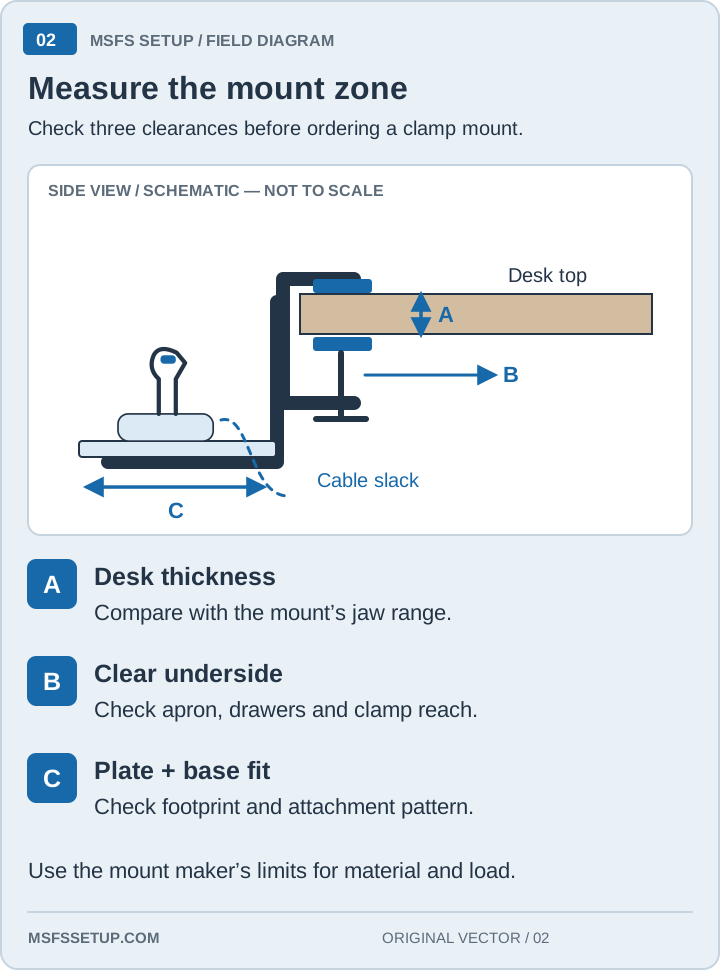
Measure the desk edge, underside clearance, and available depth. A clamp can stop a light stick from moving, but it cannot fix a desk that is too thin, too rounded, or already full.
Move to pedals when foot control matters
Buy pedals for a control problem you can name. Pedals separate yaw from your stick hand and can add toe brakes. They are useful when taxiing, crosswind work, or a worn twist axis becomes the limit; they are optional while twist or a rocker still feels predictable.
Check the connection path before choosing pedals for Xbox. On PC, confirm the available USB ports and leave enough floor room for the pedal base to stay square.
Use a first-flight test
Test the setup in the same order every time. Start on the runway or a quiet airport and check neutral pitch, roll, and yaw, then throttle, brakes, trim, gear, flaps, and camera. If one input is wrong, fix that profile before adding another accessory.
This short test keeps an appealing upgrade from hiding a basic binding mistake. Save the working profile after the test, and write down the one control that still feels limited. That note gives the next purchase a job instead of turning the desk into a collection of unused hardware.
If a quadrant is the next step, our Honeycomb Bravo setup guide covers lever choices and aircraft profiles. For physical autopilot controls, see the MSFS panel and Stream Deck guide.
Progress from the trainer
1. Trial stick: learn the basic axes
The Extreme 3D Pro guide summarizes Logitech’s documented controls and individual MSFS 2024 owner reports. It does not promise a ready-made profile. If a separate throttle is the control you want, compare the first HOTAS buying guide.
2. Move to a yoke when the panel layout wins
If you mostly fly aircraft with yokes, compare that control shape with a joystick in Microsoft’s peripherals guide. It uses the Cessna 172 and Boeing 787 as yoke examples and describes joysticks as more flexible across aircraft types. Use the yoke vs joystick guide to apply that choice, then see the airliner hub for exact yoke models. Throttle layout is a separate choice.
3. Add a throttle or quadrant when power needs more than a slider
A separate throttle gives your other hand a full lever instead of asking one small slider to do every power change. A quadrant makes sense when you need independent engine, propeller, or mixture controls. For an airliner, count the levers and included modules for reverse thrust, flaps, and speed brakes. A yoke does not necessarily include the quadrant you expect.
4. Add pedals when twist rudder becomes the limit
Rudder pedals move yaw to your feet and can add toe brakes. That changes taxiing, crosswind work, and braking by taking those inputs off the stick hand. If twist rudder or a rocker already works, pedals can wait. Check the connection path before choosing a set for Xbox.
5. Mount the hardware that keeps moving
A mount changes the physical problem, not the aircraft bindings. Add one when a light base slides during a flare or when you need the controls to return to the same place. Measure desk thickness, underside clearance, clamp reach, and the mounting plate against the exact base before ordering. The desk mount guide covers that check.
Default upgrade order
Move the mount earlier if the base will not stay put. If you already want Xbox support or a separate throttle, skip this single-joystick route and use the first HOTAS buying guide instead.
Buying through our Amazon links costs you nothing extra and helps keep MSFS Setup free. As an Amazon Associate we earn from qualifying purchases.
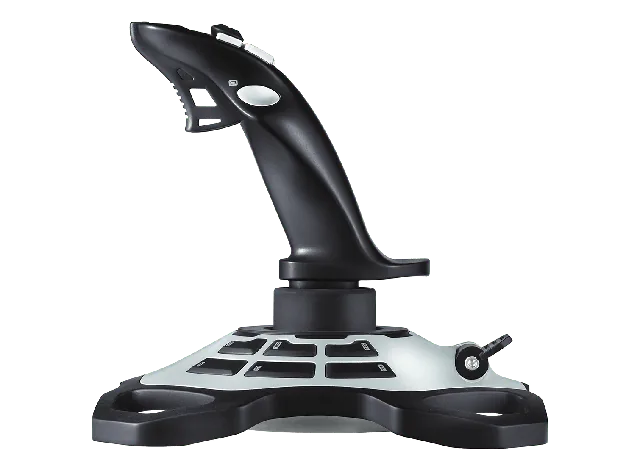
Logitech G Extreme 3D Pro
One joystick with twist rudder and programmable controls. Read the model guide for Logitech’s listed features and MSFS 2024 owner reports.
Related comparisons
- Compare a Boeing yoke with the Honeycomb Alpha layout in TCA Boeing vs. Honeycomb Alpha.
- Compare pedal connection paths and adjustability in TFRP, Logitech, and VelocityOne pedals.
- Compare yoke and throttle combinations in Logitech, Honeycomb, and VelocityOne yokes.