Give each hand and foot a clear job
| Input | Simple starting point | When to change it |
|---|---|---|
| Cyclic pitch and roll | Use a stick you can move in small, predictable steps. | Change the profile or sensitivity only after checking the axis direction and center. |
| Collective | Use a separate throttle or lever when one is available. | Bind it in the selected aircraft's control profile and confirm the input before flight. |
| Yaw and tail rotor | Keep twist rudder if it is comfortable and predictable. | Use pedals if you want yaw separate from stick movement or want toe brakes. |
| Warbird controls | Keep familiar pitch, roll, yaw, and power inputs on your main controls. | Add or move a control when repeated keyboard use or a conflicting bind gets in the way. |
Microsoft documents a separate helicopter collective position in its MSFS 2024 rotorcraft reference. Thrustmaster's PC control-mapping guide shows how to search Controls for a function, assign a physical axis, and save a profile. Control names and available axes can vary by aircraft.
PC bundle: stick, throttle, and pedals
Thrustmaster's PC Flight Pack groups the T.16000M stick, TWCS throttle, and TFRP pedals. That gives you separate hardware for stick movement, power, and yaw in one package. Its product page lists PC and describes the included devices; the product's support page links to the general MSFS 2024 PC mapping instructions.
Xbox option: MSFS Edition HOTAS
Thrustmaster lists the T.Flight Hotas One Microsoft Flight Simulator Edition for Xbox Series X|S and PC with Microsoft Flight Simulator 2024. It includes a detachable throttle and a dual rudder system, so you can start with the controls in the box. Thrustmaster lists TFRP as a compatible add-on; check the pedal connection guide if you want to move yaw to your feet.
Buying through our Amazon links costs you nothing extra and helps keep MSFS Setup free. As an Amazon Associate we earn from qualifying purchases.
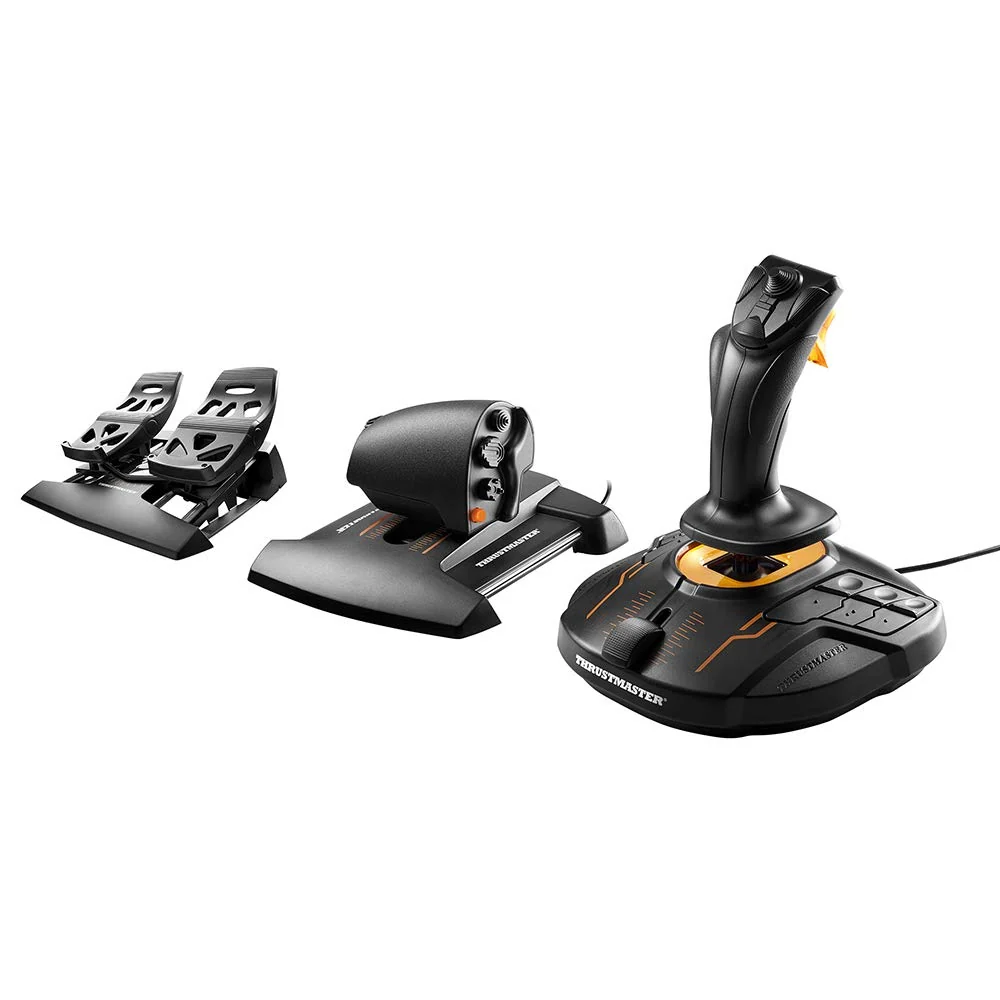
Thrustmaster T.16000M FCS Flight Pack
PC bundle with a T.16000M stick, TWCS throttle, and TFRP pedals. Check the manufacturer support page for current setup instructions.
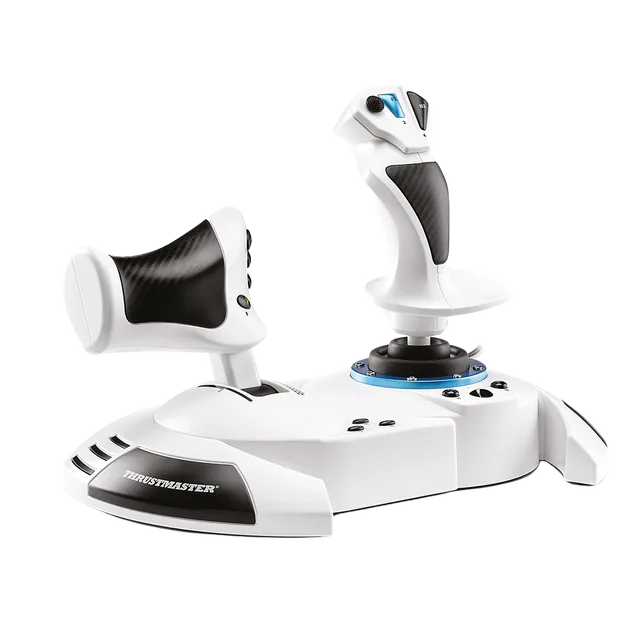
Thrustmaster T.Flight Hotas One MSFS Edition
Detachable throttle and twist or rocker yaw control for PC or Xbox Series X|S. Confirm the MSFS Edition package.
Keep the rest of the setup simple
A yoke can still work if its profile gives you the controls you need and its movement feels manageable. Do not replace it just because a guide says helicopters require a stick. If yaw is the control you want to separate, read how rudder pedals connect before buying.
If you want hands-free cockpit views while flying helicopters or warbirds, compare Tobii and TrackIR. For more devices than the PC can connect directly, see the powered USB hub guide.
FAQ
How should I map collective in MSFS 2024?
In the selected aircraft's Controls profile, search for its collective control and assign your lever to that axis if the aircraft exposes one. Thrustmaster's PC mapping guide shows the search-and-assign process; verify the direction with the input indicator before flight.
Is the T.16000M FCS Flight Pack compatible with Xbox?
No. Thrustmaster lists the Flight Pack for PC. For an Xbox controller option, the T.Flight Hotas One Microsoft Flight Simulator Edition is listed for Xbox Series X|S and PC, and for Microsoft Flight Simulator 2024.
Sources and method
Manufacturer documentation checked October 14, 2026: Thrustmaster's T.16000M FCS Flight Pack page, its product support page and MSFS 2024 mapping guide, the Hotas One MSFS Edition page, and Microsoft's rotorcraft reference.