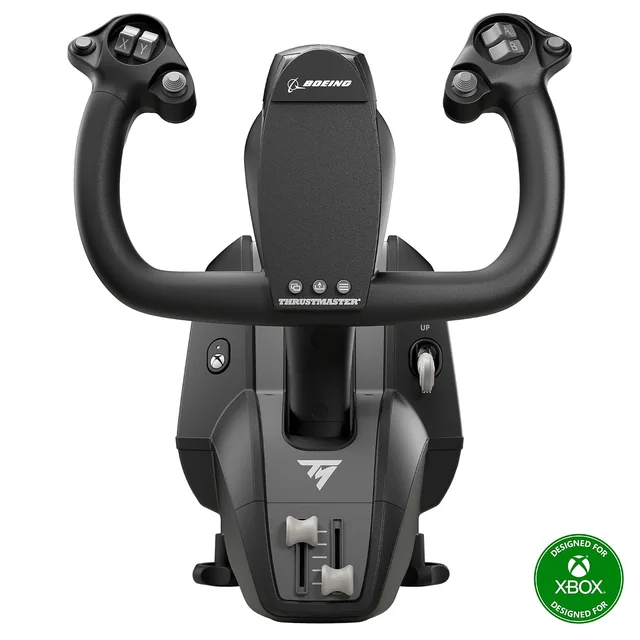
Thrustmaster TCA Yoke Boeing Edition
Choose this for the pendular yoke and PC or Xbox support. The desk-mounted arm needs room below the edge.
MSFS Setup · Methodology · Checked 2026-10-14
These yokes use different control layouts. Thrustmaster’s Boeing model has a pendular arm and supports PC and Xbox. The Honeycomb product linked here is the original Alpha for PC and Mac; Alpha XPC is a separate Xbox model.
| Question | TCA Yoke Boeing Edition | Honeycomb Alpha Flight Controls |
|---|---|---|
| How it moves | A pendular arm follows an arc. | A horizontal steel shaft runs on linear bearings. |
| Controls on the base | Additional analog axes can take assignments such as throttle. | A switch panel sits beside the yoke controls. The package does not include a throttle quadrant. |
| Platform | Windows PC and Xbox. | Original Alpha: PC and Mac. Alpha XPC is a separate Xbox model. |
| Desk check | Check knee clearance around the pendular mechanism. | Check the clamp and cable space at the desk edge. |
Buying through our Amazon links costs you nothing extra and helps keep MSFS Setup free. As an Amazon Associate we earn from qualifying purchases.
Choose this for the pendular yoke and PC or Xbox support. The desk-mounted arm needs room below the edge.
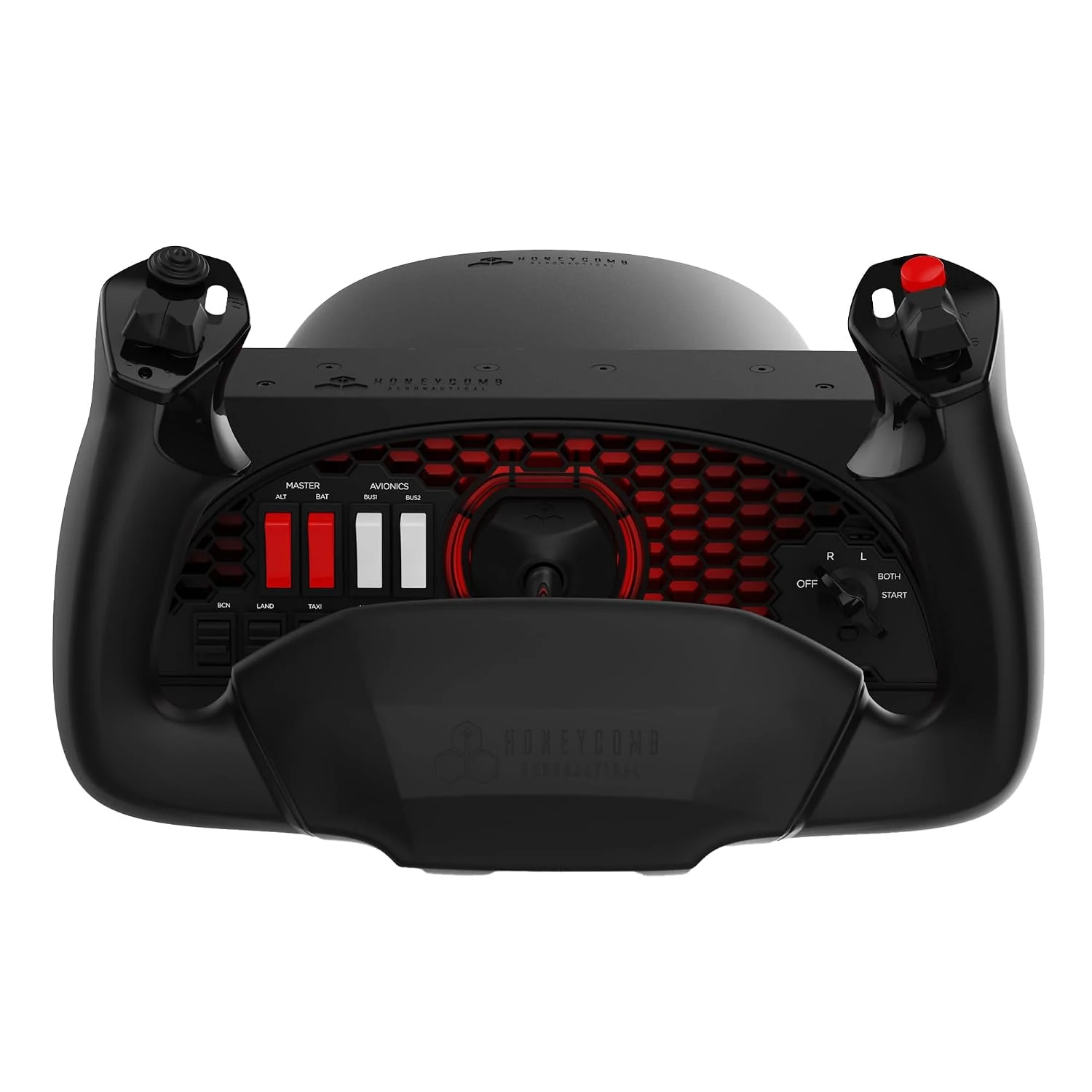
This is the original PC and Mac model, with a switch panel. It is not the Xbox Alpha XPC.
Checked October 14, 2026: Thrustmaster’s TCA Yoke Boeing Edition page; Honeycomb’s Alpha Flight Controls page and Xbox compatibility guide.
For another Xbox yoke layout, see Honeycomb Alpha and Bravo vs. VelocityOne. To choose between a yoke and joystick, read yoke vs. joystick. The Logitech and VelocityOne comparison covers a PC starter yoke and an all-in-one option. For Bravo lever assignments, see the Honeycomb Bravo setup guide.