Is a HOTAS worth it for a first setup?
It makes sense when you want to keep one hand on the stick and use a separate throttle with the other, and you have space for both controls. If you are still deciding whether you want dedicated flight controls, start with the controller you own. A HOTAS adds a second base to place and store.
Does any USB HOTAS work with MSFS on Xbox?
No. A USB plug does not establish Xbox support. Check the exact model in Microsoft’s flight-peripheral compatibility list and the maker’s Xbox instructions. Cloud streaming has separate input limits; use Microsoft’s hardware guide to check the current setup.
Should I start with one stick or a HOTAS?
Choose the HOTAS when a separate throttle is part of the setup you want. Choose a single-base flightstick if you want fewer controls on the desk. Microsoft’s hardware guide recommends weighing space, budget, and simulation needs; neither shape is required for every beginner.
If you prefer a yoke, read the yoke-versus-stick guide.
Do I need rudder pedals if my HOTAS has twist rudder?
No. The T.Flight Hotas One has rudder control through the stick’s Z axis or the throttle’s tilting lever, and Thrustmaster describes stick rotation as rudder control on the T.16000M. Pedals can wait until you want separate foot control. Check the exact pedal connection path before adding one to an Xbox setup.
Buying through our Amazon links costs you nothing extra and helps keep MSFS Setup free. As an Amazon Associate we earn from qualifying purchases.
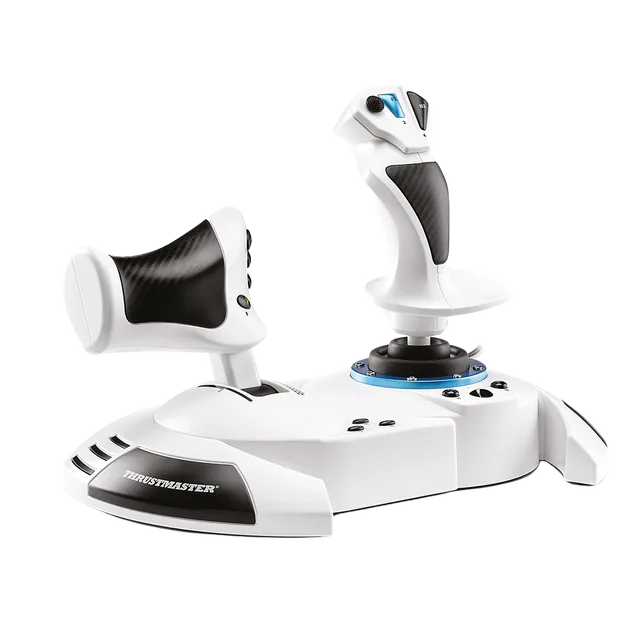
Thrustmaster T.Flight Hotas One MSFS Edition
Default for a separate-throttle setup on PC or Xbox Series X|S. The throttle detaches, so check whether you want both units together or apart on your desk.
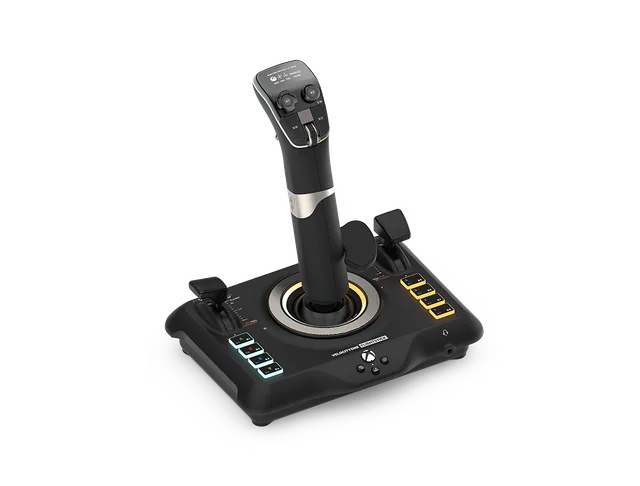
Turtle Beach VelocityOne Flightstick
Choose this when you want throttle and flap levers on one base. Turtle Beach lists PC, Xbox, and MSFS 2024 support; its product page says Xbox Cloud streaming is not supported.
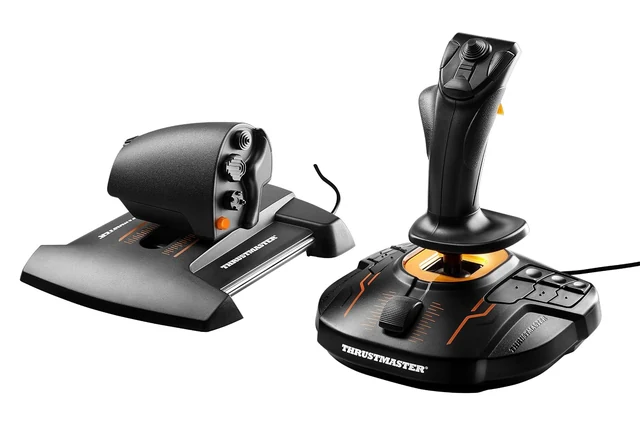
Thrustmaster T.16000M FCS HOTAS
A PC-only alternative if you want a separate throttle and Hall-effect pitch and roll sensing. Thrustmaster lists MSFS 2020 for PC but not MSFS 2024, so confirm current 2024 support before choosing it.
Can I fit a HOTAS on a small desk without a mount?
Measure the controls in the layout you plan to use. The manufacturers publish these dimensions; they do not tell you how much keyboard or mouse space will remain on your desk.
| Model | Manufacturer-listed dimensions | Desk check |
|---|---|---|
| T.Flight Hotas One MSFS Edition | 350 × 200 × 235 mm (width × depth × height) | Its throttle detaches. Measure the space you plan to use with both controls together or apart. |
| VelocityOne Flightstick | 164.1 × 216.84 × 230.47 mm (as listed) | One base keeps the controls together. Leave room for the stick and cable. |
| T.16000M FCS HOTAS | 27.2 × 22.9 × 26.4 cm (length × width × height) | The package includes a stick and a separate throttle. Check both positions on your desk. |
If either base slides or the controls crowd your keyboard, wait until you have measured before buying a mount. The desk-mount guide covers clamp and plate checks.
How do I set up a first MSFS 2024 control profile?
Open the Controls screen and select the device. Microsoft says the sim applies a preset when it recognizes the hardware; if it does not, use Customization to set up the controls. Move pitch, roll, yaw, and throttle one at a time and confirm each responds as intended before flight.
- Connect the device and follow its maker’s selector or connection instructions.
- Review the preset or use Customization to assign controls.
- Check each axis separately, then save a profile you can return to.
Use the HOTAS setup checklist for a printable pre-flight sequence.
Why do my controls show duplicate or conflicting inputs?
When two connected devices are assigned to the same flight axis, their inputs can conflict. Review the active profiles for the stick, throttle, controller, keyboard, and mouse, then remove bindings you do not intend to use.
What should I add after a first HOTAS?
Add hardware only when you know what is missing. If the controls move or block your keyboard, check the mount fit guide. If you want foot controls, see rudder pedals setup. If you decide a yoke fits your flying better, start with the control-family guide.
On PlayStation 5, use a model listed for that console. The PS5 controls hub covers the supported Thrustmaster paths.
Sources and method
Checked October 14, 2026 against Thrustmaster’s T.Flight Hotas One MSFS Edition page, Turtle Beach’s VelocityOne Flightstick specifications, Thrustmaster’s T.16000M FCS HOTAS page, and Microsoft’s hardware guidance and MSFS 2024 Controls instructions. The T.16000M page lists PC and MSFS 2020; this guide does not claim the maker confirms MSFS 2024 support. Amazon listings were checked for the exact linked products and offer status.