Which mount style fits your desk?
Use a clamp only when the desk edge and underside leave room for its jaws and the mount plate matches your controller bases. A two-piece clamp set suits a stick and throttle that you want to lift off the desk between sessions. A freestanding frame avoids loading the desk edge, but occupies floor space.
These three listings serve different layouts. The Hikig and MEZA products are clamp sets. Turtle Beach’s stand is the floor option; Turtle Beach lists its own Flight and Rudder products and some third-party simulation controls as compatible. Check the current listing and maker instructions for the exact base and mounting holes.
Mounts to compare
Compare the included plates and fasteners with the bases you own. Product names alone do not confirm that a particular hole pattern or desk edge will fit.
Buying through our Amazon links costs you nothing extra and helps keep MSFS Setup free. As an Amazon Associate we earn from qualifying purchases.
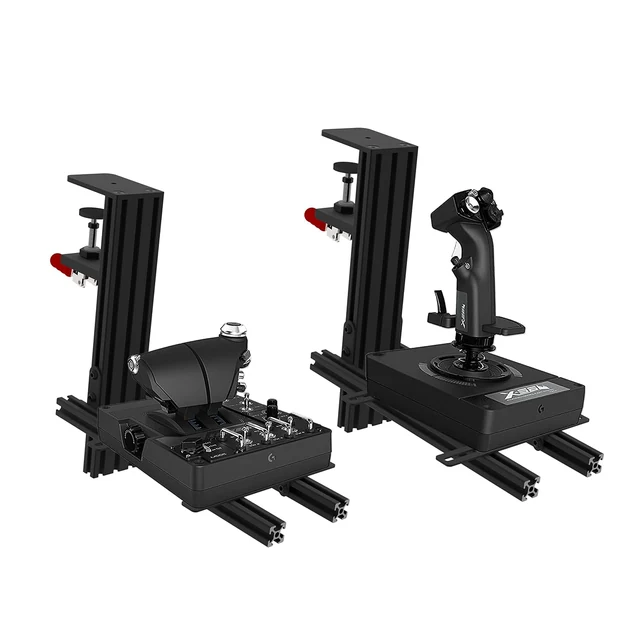
Hikig 2 Set Desk Mount for Flight Sim Game Joystick, Throttle and HOTAS Systems
A paired clamp setup for a stick and separate throttle. Check the plate slots, included fasteners, desk edge, and underside clearance against your exact hardware.
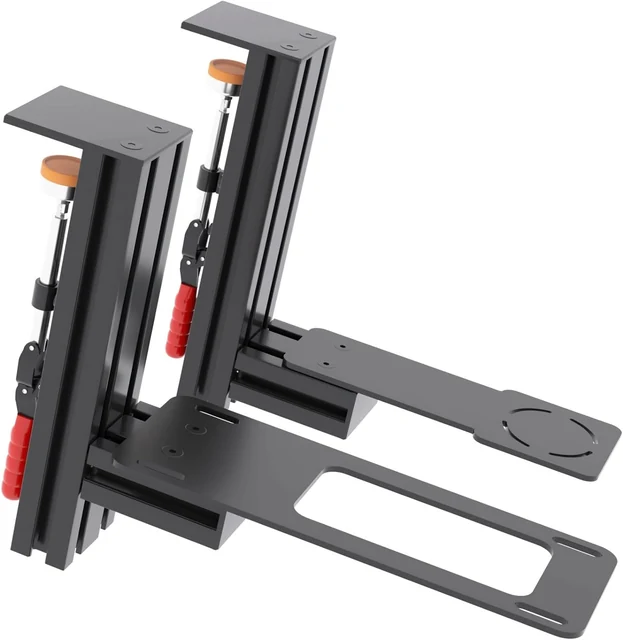
MEZA Mount-HOTAS Desk Mount Set of 2
A second clamp-set option for separate flight controls. Review the selected plate and mounting hardware against both bases before ordering.
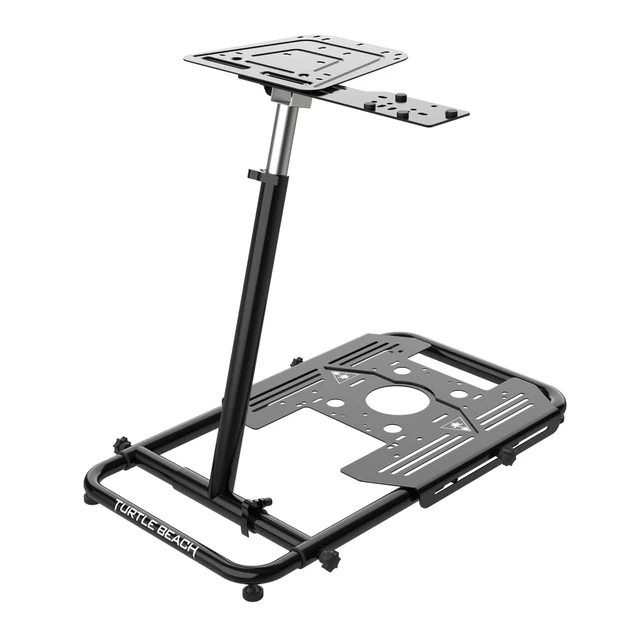
Turtle Beach VelocityOne Universal Stand
A floor stand when you prefer not to clamp controls to a desk. Turtle Beach says it folds with accessories attached and lists compatibility with its Flight and Rudder products and other simulation controls.
Check the base plate before you order
Match the controller’s mounting holes and base shape to the plate. For a clamp, also check that the jaws clear the desk edge and anything attached underneath it. For a floor stand, compare the platform with the controller’s mounting instructions.
| Mount | Base-plate check | Desk or floor check |
|---|---|---|
| Hikig two-piece clamp set | Compare both plate patterns and fasteners with the stick and throttle bases. | Compare the desk edge and clear underside space with the current listing before you clamp. |
| MEZA HOTAS clamp set | Confirm the selected plate and mounting hardware suit each controller base. | Compare the current listing with the clearance under your desk before you clamp. |
| VelocityOne Universal Stand | Turtle Beach lists the VelocityOne Flight and Rudder products and third-party simulation controls. Check the exact platform holes for your model. | Measure the floor space and route cables before placing the stand. |
For the VelocityOne Flightstick specifically, Turtle Beach lists pre-drilled holes for use with the VelocityOne Stand. The stand page describes its mounting options and product support. Do not assume another model uses the same pattern.
Write down the fit details
Take these notes to the product listing or manufacturer support page before you buy:
- Desk: edge thickness, edge shape, surface material, and clear space beneath the front edge.
- Controls: exact stick and throttle models, base dimensions, mounting-hole pattern, and screw size from each manual.
- Layout: where each control will sit, cable slack between units, knee room, and where the mount will go between flights.
| Pre-purchase worksheet | Your notes |
|---|---|
| Desk material and edge | ________________________________ |
| Clear underside space | ________________________________ |
| Stick and throttle models | ________________________________ |
| Mount plate and fasteners | ________________________________ |
| Cable route and storage | ________________________________ |
Do you need a desk mount for a flight stick?
No, not if the base stays in place and the controls fit your desk. Add a mount when movement or desk layout gets in the way.
Will any HOTAS mount fit my stick?
No. Mount plates and controller bases have different hole patterns and shapes. Compare the exact base with the selected plate and fasteners, then confirm the fit with the mount maker’s current listing or support page.
What should I measure before ordering?
Measure the desk edge, the clear space underneath it, and the area where the controls will sit. Check the controller manual for its base and mounting details, then compare those with the mount’s published measurements and hardware.
Can I clamp a flight stick to glass or a hollow desk?
Only if the desk and mount manufacturers explicitly allow that use. If their instructions do not cover your surface, do not rely on an edge clamp; use a stand designed for your equipment instead.
What should you do if the base still moves?
Recheck the plate fit and installation instructions before tightening further. If a desk mount is the right solution, follow the mount maker’s limit for your desk and controller. If you are setting up a first stick and throttle, see the HOTAS guide; for console model checks, use the Xbox compatibility guide.
Sources and method
Checked October 14, 2026. Amazon’s current listings supplied the exact product names, selected images, and purchase records for the Hikig, MEZA, and Turtle Beach picks. Turtle Beach’s VelocityOne Stand page and Flightstick page support the stand and Flightstick fit notes. I found no manufacturer instructions for the Hikig or MEZA clamp ranges and mounting patterns, so this guide makes no numerical range or model-specific fit claims for them. Compare the current listing with your controller manual before buying.