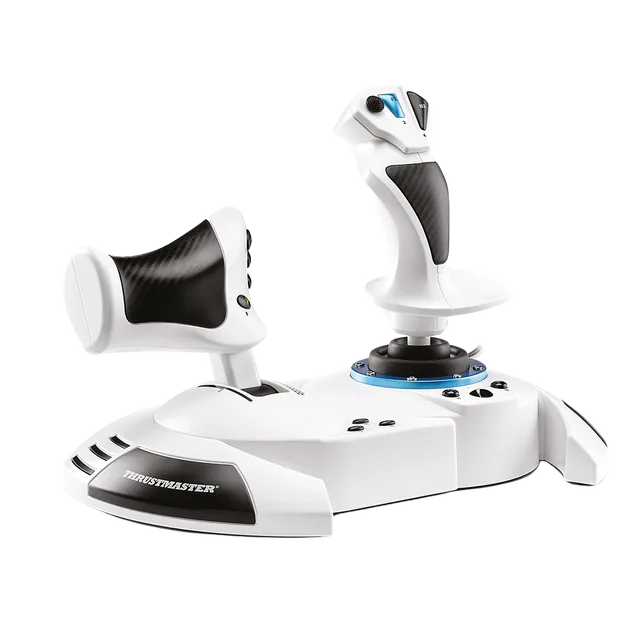
Thrustmaster T.Flight Hotas One MSFS Edition
Stick with a detachable throttle, for Xbox and PC. Thrustmaster says you can play it on a lap or on a desk.
MSFS Setup · Methodology · Checked 2026-10-28
A couch changes where the stick sits and how far the cable has to reach, and USB flight gear needs the installed game, not Xbox Cloud Gaming. Check those before you buy.
A couch setup only works with the locally installed game. Microsoft lists controllers and touch or gyro inputs for cloud play, not USB sticks, yokes or pedal adapters. The Xbox hub explains the difference. Check your exact model on the Xbox compatibility table, because some well-known sticks, such as the Logitech X56 and the T.16000M, are PC-only.
A couch rules out most desk-style controls. These two list Xbox and PC, and both are compact.
| Product | Size and weight | Couch notes from the maker |
|---|---|---|
| T.Flight Hotas One MSFS Edition | 13.8 in wide, 7.9 in deep, 9.3 in high. 2,060 g. | The throttle detaches, and Thrustmaster says you can play on your lap or on the desk. |
| VelocityOne Flightstick | 6.46 x 8.54 x 9.07 in. 1.81 lb. | Rubber feet, or pre-drilled holes for a stand. The box includes a 10 ft (3 m) USB-A to USB-C cable. |
Our Hotas One vs. VelocityOne Flightstick comparison sets them side by side, and the first HOTAS guide covers choosing a first stick. For a yoke or Airbus sidestick, see the yoke vs. joystick guide and the Airbus sidestick guide.
Buying through our Amazon links costs you nothing extra and helps keep MSFS Setup free. As an Amazon Associate we earn from qualifying purchases.
Stick with a detachable throttle, for Xbox and PC. Thrustmaster says you can play it on a lap or on a desk.
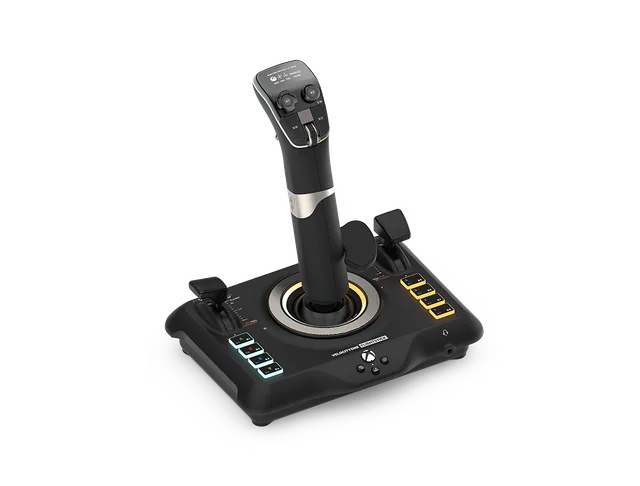
A single-unit stick with a built-in throttle. It lists Xbox and PC, and the box has a 10 ft USB cable.
Thrustmaster’s Xbox support articles say to avoid USB hubs, USB extensions and any other connection extension. The VelocityOne Flightstick’s box has a 10 ft (3 m) cable. I found no maker source for a particular extension cable on Xbox, so I do not link one.
Instead, move the console near the couch, or the couch near the console, so the box cable reaches without strain. Honeycomb’s Xbox Hub is a different case: it is part of the Honeycomb setup, not a general USB hub. The USB extension and hub guide has the full source list.
If the stick or an add-on does not show up in Controls, run through the pedals and quadrant checklist before changing profiles.
Pedals are the part that moves on a living-room floor. The pedals and chair sliding guide covers floors, rugs and seats. Thrustmaster’s TFRP connect to a compatible Thrustmaster controller on Xbox, and Turtle Beach routes its rudder pedals through VelocityOne Flight on Xbox. The rudder pedals setup guide has the connection paths.
Checked October 28, 2026: Thrustmaster’s Hotas One MSFS Edition page, Turtle Beach’s VelocityOne Flightstick page, and Thrustmaster’s Xbox articles 1767, 1768 and 1776.